Defining a Venue#
A venue is one acoustic space in the model. Settings, layer assignments, the export path and the speaker file are all held per venue.
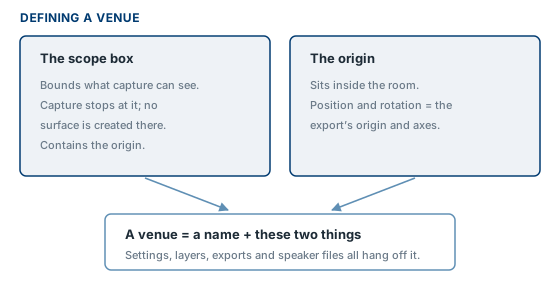
A venue consists of a name and two elements placed in the model.
The origin#
A family instance of PAV-Origin. The origin is the venue: it carries the venue name, and the venue's settings are held against it.
- Its position is the coordinate origin of the export. Place it inside the closed volume of the room, on the room's centreline, at the datum loudspeaker positions and heights are measured from.
- Its rotation sets the axes of the export. Orient it to the convention used in the simulation software rather than to Revit's project north.
Place one with Place Origin.
The scope box#
An ordinary Revit scope box. It defines the extent of the venue: elements outside it are ignored, and where the room opens out, the capture stops at the box. No surface is created at the box itself.
A scope box belongs to a venue by containing its origin. Where the origin lies inside more than one scope box, the smallest is used; a different one can be selected in Settings → Project Info.
Place one with Place Scope Box, which asks for the venue name and then starts Revit's scope box tool.
The name#
The venue name is the VENUE NAME parameter of the origin. It is used for the venue's views and its default export file name. It is set when the origin is placed, and is changed by editing the parameter in the Properties palette.
Renaming a venue is safe: the application identifies the venue by its origin element, not by its name. Two venues may share a name, but both then offer the same default export file name, and Settings flags the duplicate.
More than one venue#
A model may contain any number of venues, each with its own scope box, origin, settings and export. Venues are captured one at a time.