3. Place the Origin#
Place Origin places the PAV-Origin family. Its position and rotation define the origin and axes of the exported DWG, which is the reference the simulation software uses to locate loudspeakers.
Using the tool#
- Click Place Origin in the Geometry panel.
- Enter or confirm the venue name and click Place. Where exactly one scope box in the model contains no origin, its name is offered.
- Place the origin inside the scope box that bounds the venue, in a plan view.
- Move and rotate it as required.
The name is written to the origin's VENUE NAME parameter. The PAV-Origin family is loaded from the Performance AV installation the first time it is needed.
Placement#
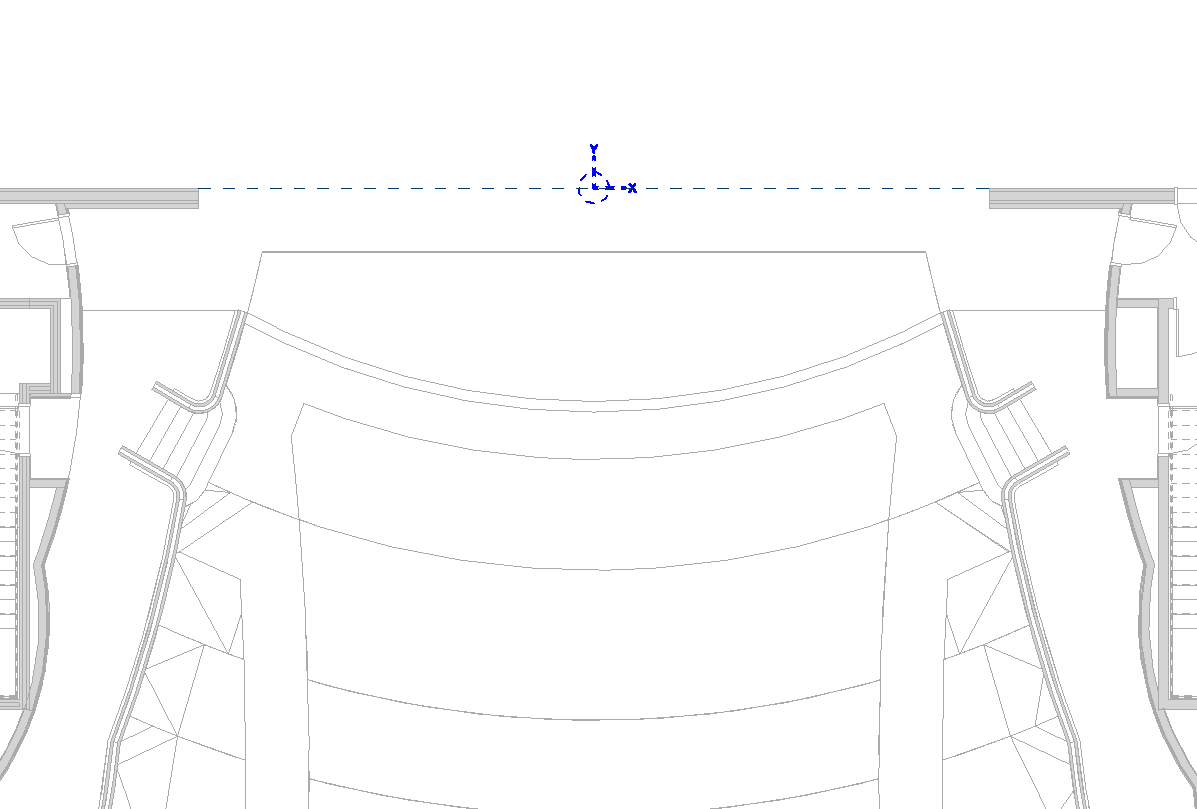
Place the origin at the coordinate origin required by the simulation model.
In plan:
- On the room's centreline, so that the room is symmetrical about X = 0.
- At the depth datum loudspeaker positions are measured from — the proscenium or stage line in the example above.
In elevation:
- Inside the closed volume of the room.
- At the elevation loudspeaker heights are referenced to.
Orientation#
The origin's rotation sets the axes of the exported DWG. Rotate it to the convention used in the simulation software. In the example above, Y faces the stage; the opposite orientation, with Y facing the audience, is equally valid. The application exports the frame as placed.
Copying an origin#
A copied origin is a new venue with its own, empty settings. The application renames the copy so that venue names stay unique. To create a second venue, place a new origin with Place Origin instead, so that it is named deliberately.