Placing a Focus Point#
A focus point must be present in the model before seats can be placed. It establishes row orientation and cannot be changed after seats are placed.
Using the Focus Point tool#
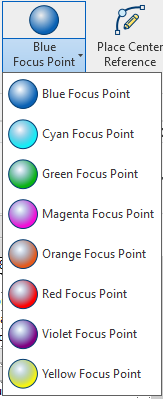
Click the Focus Point split button in the Tools panel. Select a color from the dropdown (Blue, Cyan, Green, Magenta, Orange, Red, Violet, Yellow) — colors are visual reference only and do not affect calculations.
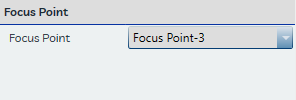
Click the desired location in the model to place the focus point. It is added automatically to the Focus Point dropdown in the Seat Properties pane and becomes the active selection.
Placement guidelines#
- Place the focus point at or near the performance or presentation area.
- Position it toward the center of the rows it will serve. The relative position of the focus point determines which end of each reference line is House Left and which is House Right. An off-center focus point may cause incorrect seat orientation or numbering.
Standard Revit insertion#
Focus points may also be placed through standard Revit family insertion if needed, provided the correct focus point family is used.
See Focus Points for more information.