Venues#
What is a venue?#
A venue should be defined for each room or general space that holds a group of seats intended to view the same location. Examples:
- A 1,000-seat theatre with one or two balconies
- An arena or sports stadium with multiple seating bowls
- A small conference space with flat-floor seating
- A partitioned ballroom (which could be one venue or several, depending on how seating is documented)
On project initialization, a default venue named Venue-1 is created automatically.
Managing venues#
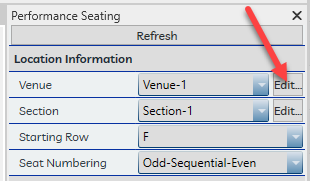
The venue name may be edited by clicking the Edit button beside the Venue dropdown in the Seat Properties pane, or from the Project Defaults tab of the Settings window.
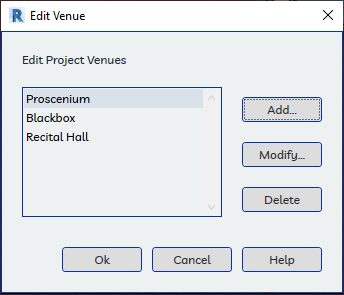
In the Venue edit panel, venues may be Added, Renamed, or Deleted.
Note
A venue cannot be deleted while any seat or row is associated with it.