Application Settings#
Application settings control the core operation of the add-in. Most options here are only changed during initial setup or troubleshooting.
Project initialization#
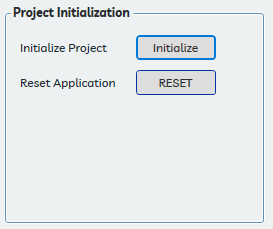
Initialize Project#
Initializes or re-initializes the current project for use with Performance Seating. If application components are not working correctly, re-initializing is the recommended first troubleshooting step. Re-initialization restores missing families, linetypes, and settings without removing placed seats.
See Initializing the Project for a full description of what initialization does.
Reset Application#
Destructive — cannot be undone
The Reset Application function erases all Performance Seating settings and project data, and deletes all placed seat families from the model. Seat layouts will be permanently lost.
Resets all application and project settings to default values as if the add-in were freshly installed. Use this only when directed by Performance BIM, or when starting completely fresh on a project where all prior Performance Seating data should be discarded.
Application settings#
Family Location#
Specifies the folder from which the application loads seat families, the focus point family, and other required files. This may be changed to any accessible folder after installation. The provided families must be present in the specified location.
Maximum Seat Movement#
Controls how far the application may shift a replacement seat from the center of its original selection zone when running the Replace Seats command. A small allowed movement lets the application optimize the remaining seat fit on either side of the replacement.
This value is entered and displayed in the project's current units — feet and inches for imperial projects, millimeters for metric projects.
- Increase this value if replacement workflows consistently leave undesirable gaps
- Decrease it if you need tighter control over replacement positioning